
Hevy is a great workout tracker. It logs your sets, reps, and measurements as well as any app. Its progress photos, though, are basic: no automatic alignment, no before/after video. Use Hevy for your training and your numbers.
Body Tracker does the other half. It aligns every progress photo automatically, adds a real before/after compare, and builds a time-lapse, all private on your phone. Use it to see your body change over time.
We tested both Hevy and Body Tracker on the same job: adding progress photos, comparing them over time, and checking where each app stores your data. They're built for different parts of it. Hevy is a workout tracker that also stores progress photos. Body Tracker is a dedicated progress-photo app. This compares them on progress photos, body metrics, privacy, and price.
Hevy vs Body Tracker at a glance
| Hevy | Body Tracker | |
|---|---|---|
| Best for | Logging your workouts | Seeing your body change |
| Standout feature | Deep workout tracking + body metrics | Automatic alignment + time-lapse |
| Pricing | Free; Pro ~$2.99 to $3.99/mo | Free trial; paid plans from $4.99/month |
| Photo alignment | ❌ | ✅ Fully automatic, on-device |
| Before/after compare | ✅ Static side-by-side | ✅ Draggable split + opacity overlay |
| Time-lapse video | ❌ | ✅ MP4, on-device |
| Import old photos | ❌ | ✅ Keeps each photo's original date |
| Organize | ❌ | ✅ 4 body areas, 3 angles |
| Photos storage | Cloud account | On-device, no account |
| Workout logging | ✅ Routines, sets, exercise database | ❌ |
| Body measurements | ✅ Weight, body-fat %, circumferences | ❌ Weight only |
| Cross-device sync | ✅ | ❌ On-device only |
Hevy: Workout log with photos
Platform: iOS, Android & web · Price: Free, with optional Pro subscription
What Hevy does well
Hevy is a top-rated workout tracker, with 81,000 US App Store ratings at 4.9 stars. It logs routines, supersets, and rest timers against a large exercise database, and keeps a full history of what you've lifted. It also tracks body metrics: weight, body-fat %, and circumference measurements, with charts over time. For recording your training and watching your numbers move, it does the job as well as anything, across iPhone, Android, and web.
What Hevy's photos can't do
- No automatic alignment. Photos aren't lined up for you, so framing drifts between shots.
- Static side-by-side only. No draggable slider or opacity overlay for a close before/after.
- No time-lapse. Photos stay a folder of stills, with no video of your change.
- No dedicated photo workflow. Photos attach to measurement entries, with no structured capture by body area or angle.
- No on-device-only storage. Photos live in your Hevy account and sync to the cloud.
Body Tracker: Built for progress photos
Platform: iOS & Android · Price: 14-day free trial, then Pro subscription
What Body Tracker adds
Body Tracker does only the visual half, and builds it out properly. You take a photo and the app aligns it automatically, so every shot in a series is framed the same. You compare any two with a draggable split or an opacity overlay, turn a series into a time-lapse video, and keep everything on your device with no account. It's built specifically for seeing your body change over weeks and months.
Alignment happens automatically
Take the photo and Body Tracker's on-device AI rotates, zooms, and centers it to match the rest of the series, with no grid or ghost image to line up with in the viewfinder. The payoff shows up weeks later: because every shot is framed the same, your before/after reads as real change instead of a change in camera angle.
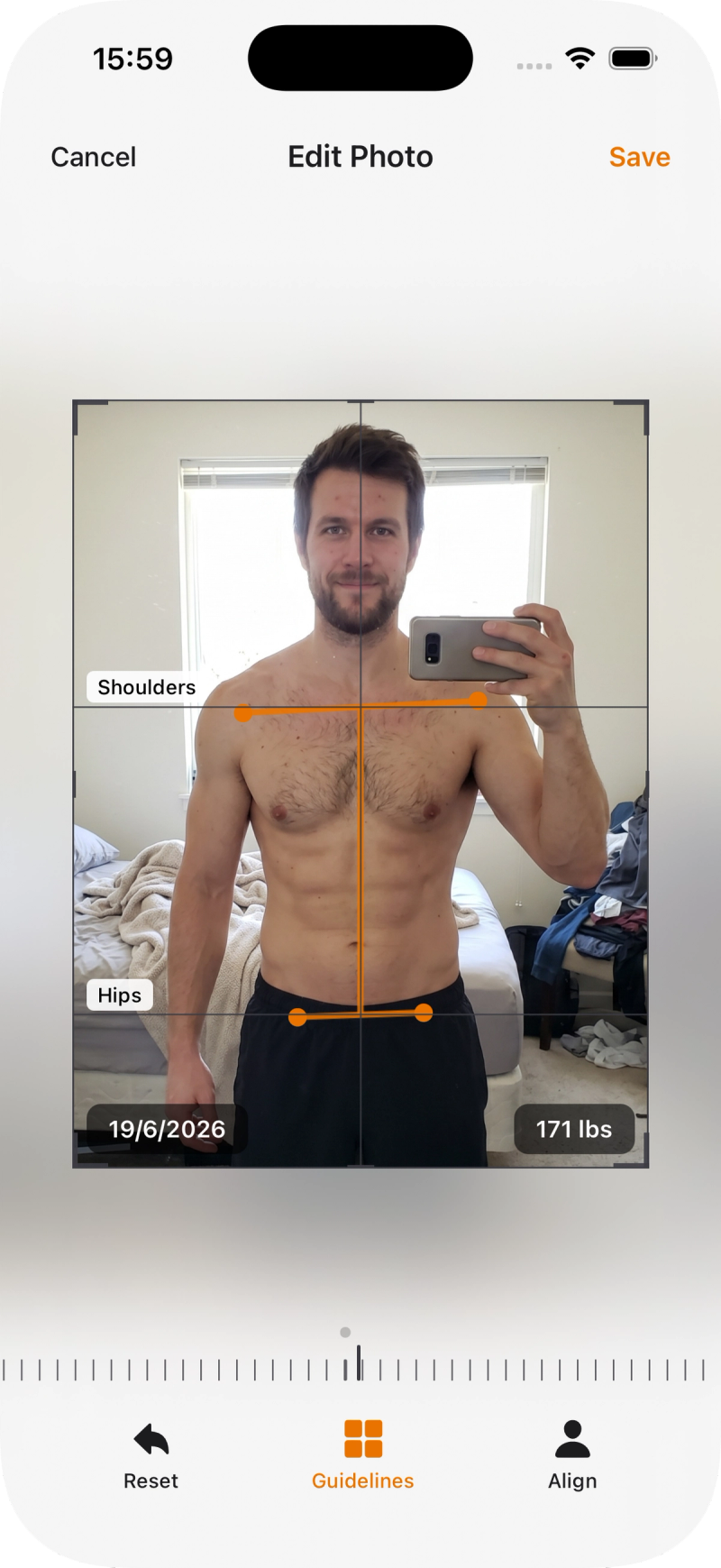
See the exact difference
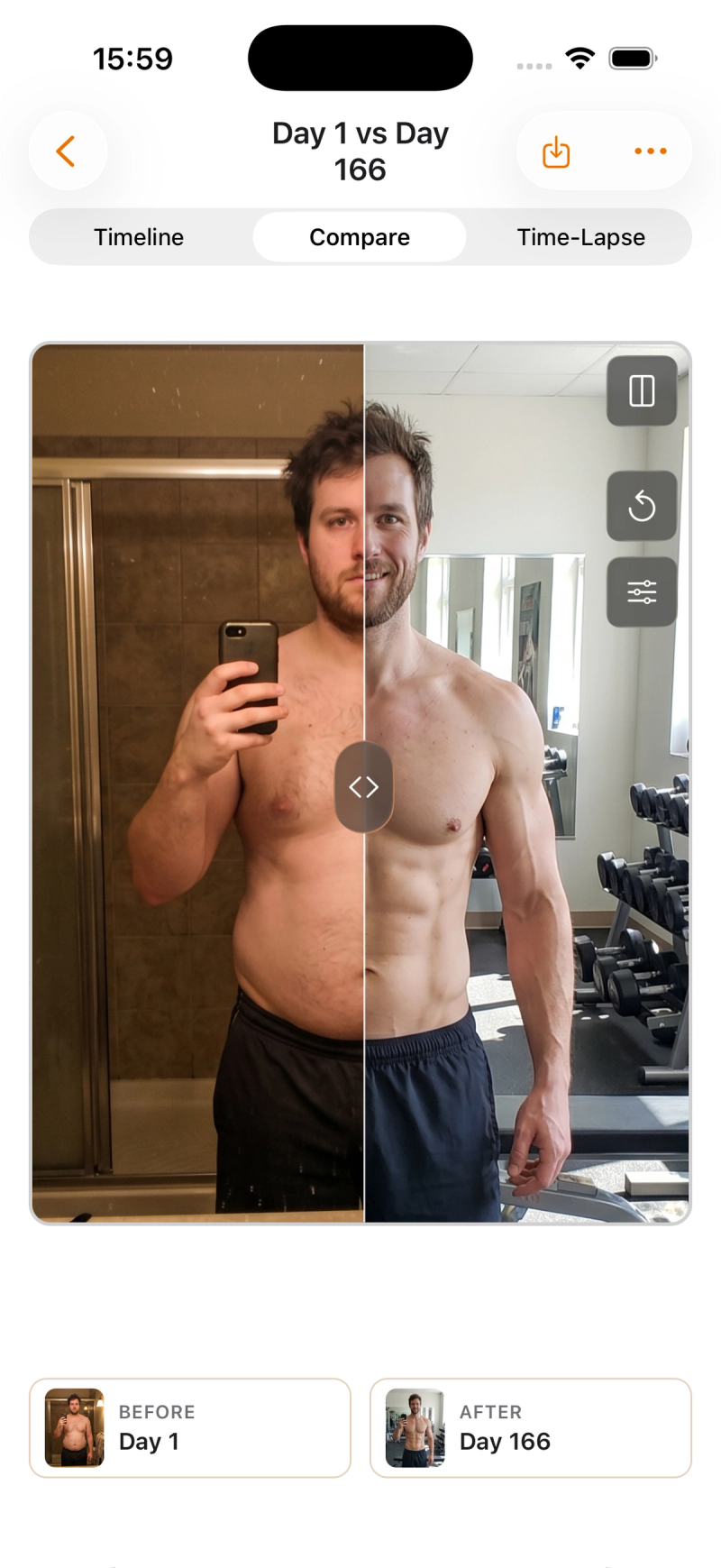
Put any two photos together in a split view with a divider you drag across them, or fade one over the other with an opacity overlay. It's how you catch the small stuff, a bit more definition or a slightly smaller waist, that a static side-by-side hides.
Where Body Tracker falls short
Body Tracker only handles photos and weight. It won't log your workouts, and it doesn't track measurements or body-fat %, so it isn't a replacement for a gym tracker. There's no permanent free tier either: after a 14-day trial it's $4.99/month or $29.99/year. And because everything stays on your device, there's no cross-device sync, so your photos live on the one phone.
Which should you choose?
Choose Hevy if:
Your priority is logging training and tracking numbers. Hevy records your workouts and body metrics far better than a photo app will, and its built-in photos are enough if you only want the occasional snapshot.
Choose Body Tracker if:
You care about seeing the visual change and want your photos to actually line up.
- Your before/afters never match because the framing drifts.
- You want a real compare (split and overlay) and a time-lapse, not a static pair.
- You want your photos to stay on your device with no account.
Choose both if:
- Hevy logs what you did in the gym and tracks your weight and measurements.
- Body Tracker turns your photos into an aligned, comparable, time-lapse record of the result.
Frequently Asked Questions
Yes, in the free app. Attach a photo to a body-measurement entry, keep it private, place two side by side, and export a shareable image. It doesn't align photos automatically or make a time-lapse.
There's a 14-day free trial, then $4.99/month or $29.99/year (varies by region). No permanent free tier.
It's in the free app. Progress photos work without a Hevy Pro subscription.
They stay on your device. No account, no cloud. (Hevy keeps photos private too, but stores them in your Hevy cloud account to sync across devices.)
Yes. Log training and measurements in Hevy, and keep your progress photos in Body Tracker for alignment, compare, and time-lapse.
No. Progress photos and weight only. For workouts, sets, or measurements, use Hevy.